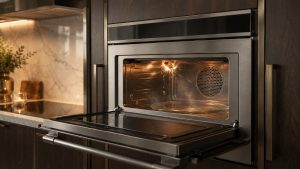
Monogram Advantium 240V F1 Error Code
F1 — Open thermal sensor (official public support wording).

ZSB9231NSS Advantium five-in-one wall oven repair reference for microwave, oven, and combined-mode heating or display faults.

Repair reference for the Monogram ZSB9231NSS Five-in-One wall oven with 240V Advantium technology. Sparking, no-heat, and display faults should follow Advantium service guidance and verified codes.
F1 — Open thermal sensor (official public support wording).
F3 — Shorted touch pad panel (official public support wording).
F4 — Open or shorted humidity sensor (official public support wording).
Multi-function ovens can appear powered and complete a timed cycle even when one heating system is not operating correctly.
Troubleshoot Monogram Advantium microwave not heating with practical checks, likely causes, model-specific cautions, and signs that point to professional repa
Troubleshoot Monogram Advantium display not working with practical checks, likely causes, model-specific cautions, and signs that point to professional repair
Troubleshoot Monogram Advantium sparking with practical checks, likely causes, model-specific cautions, and signs that point to professional repair.
Stop using the unit if you see sparking, burning smell, or damaged waveguide covers — request Advantium service.
Model-information disclaimer. Confirm your exact model number and specifications with your appliance documentation before booking a repair. Model pages are for identification and compatibility reference.
Share a few details and we’ll confirm an appointment. Prefer to talk? Call us and we’ll help right away.
Pick a time that works — we will confirm your appointment.